Animated pages make screenshot diffs flaky: freeze them, or wait
A page still moving when it is captured is shot on a different frame each time, and every frame is a difference. deploydiff now freezes the animations the browser knows about, and can wait for the ones a script draws.
A capture is taken once the page has loaded: no request in flight for half a second, and the fonts in. A page still moving at that moment is shot on whatever frame it has reached. A chart drawing its curves, a spinner, a badge fading in. The next capture catches another frame, and the comparison reports a difference that nobody made.
One such page is enough to spoil a diff batch. It fails on every deploy, people learn that it always fails, and the day it fails for a real reason, nobody looks.
Two kinds of motion
The browser keeps a list of the animations it runs: CSS animations, CSS transitions, and those started through the Web Animations API. Motion driven by a script is not on that list. A chart library drawing frame by frame, a canvas, a carousel on a timer: to the browser, that is only a page that a script keeps redrawing.
So there are two settings, one for each.
Freezing what the browser knows about
Freeze animations is on by default. Before the screenshot, every animation on the browser's list is brought to its end, and one that loops forever, such as a spinner or a pulsing badge, is removed. Both sides of a comparison are captured in the same state, whatever frame each one had reached.
It adds no time to a capture, so it costs nothing. Animations tied to the scroll position are left as they are at the top of the page, which is where it is captured. Each capture records how many animations the freeze ended and how many it removed, so you can tell whether it did anything on a page.
Waiting for what it does not
Wait after load is a pause of 0.5 to 5 seconds, once the page has loaded and its fonts are in, before the freeze and the rest of the preparation. It is for motion a script drives and that settles on its own: the chart finishes drawing, the counter reaches its number.
Unlike the freeze, it is not free. The wait is added to every capture it applies to, and a capture is billed by how long its sandbox runs. So set it on the page that needs it, rather than on the whole project.
A real case: emooki's price charts
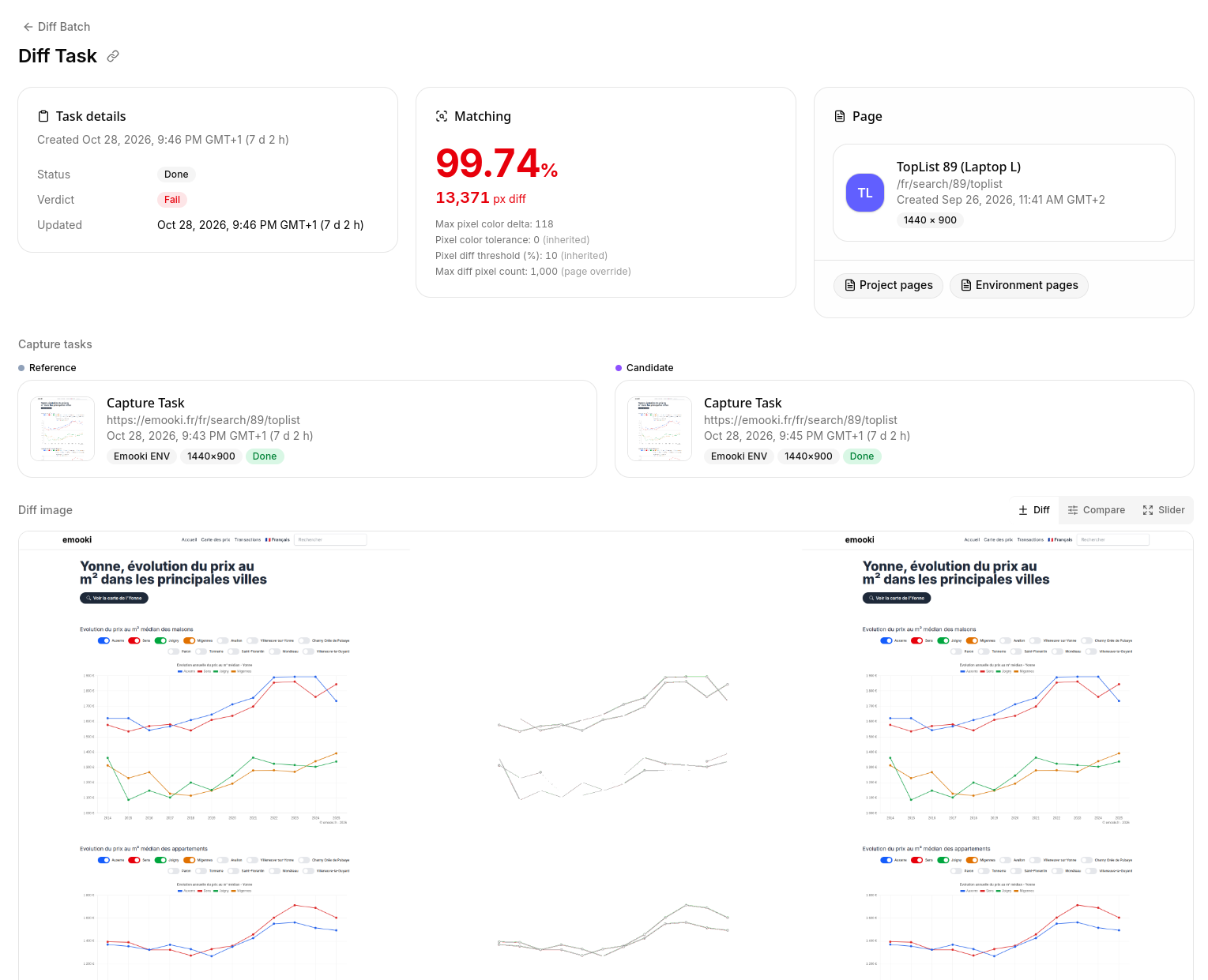
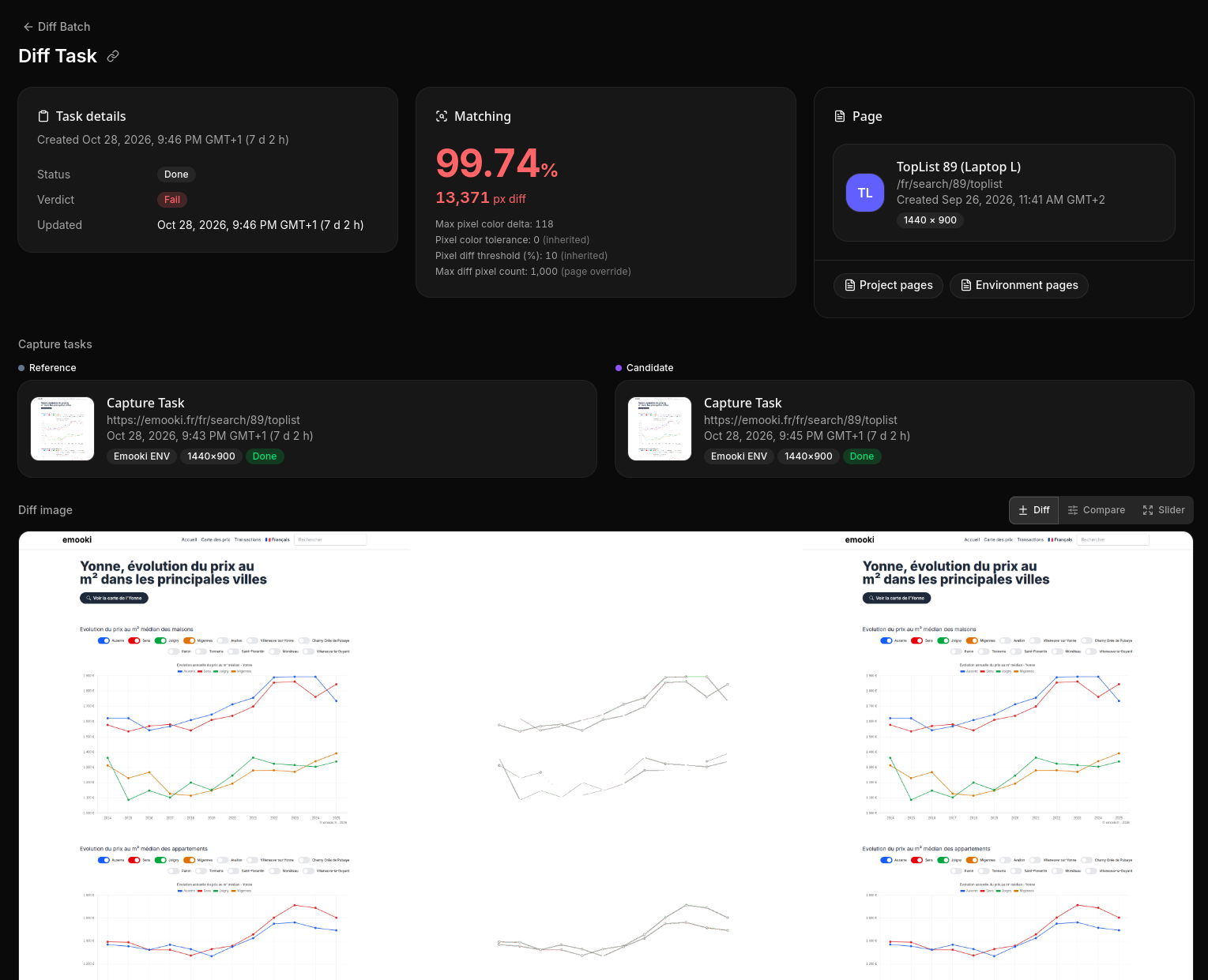
emooki is a site about property prices. Its top-list pages chart, year by year, the median price per square metre in the main towns of a French département, and the curves are animated as they draw in.
Captured as soon as it had loaded, that page passed or failed depending on how far the curves had got: caught part-way, at a different point each time, they were sometimes close enough to match and often not. The freeze could do nothing there. Each capture recorded zero animations ended and zero removed, because the curves are drawn by a script.
With a two-second wait on that page, the chart has finished before the screenshot. Against a capture taken without the wait, the difference is the curves and nothing else. Since then, the page has matched its reference at every capture.
Which one to use
- Something spins, fades or slides in with CSS: nothing to do, the freeze is on by default.
- A chart, a canvas, a counter that settles: a wait on that page, as short as it needs.
- Something that never settles, such as a carousel that loops or a live ticker: hide it or mask it. Waiting longer only shoots it on another frame.
- A page where the motion is the thing to compare: turn the freeze off for that page alone.
- Anything inside an embedded frame is not frozen. Hide it or mask it.
Both settings are part of the project's capture config, and a page can override either one. The details are in the projects and pages documentation.
See what changed on every deploy
Start on the free Discovery plan, no credit card needed.